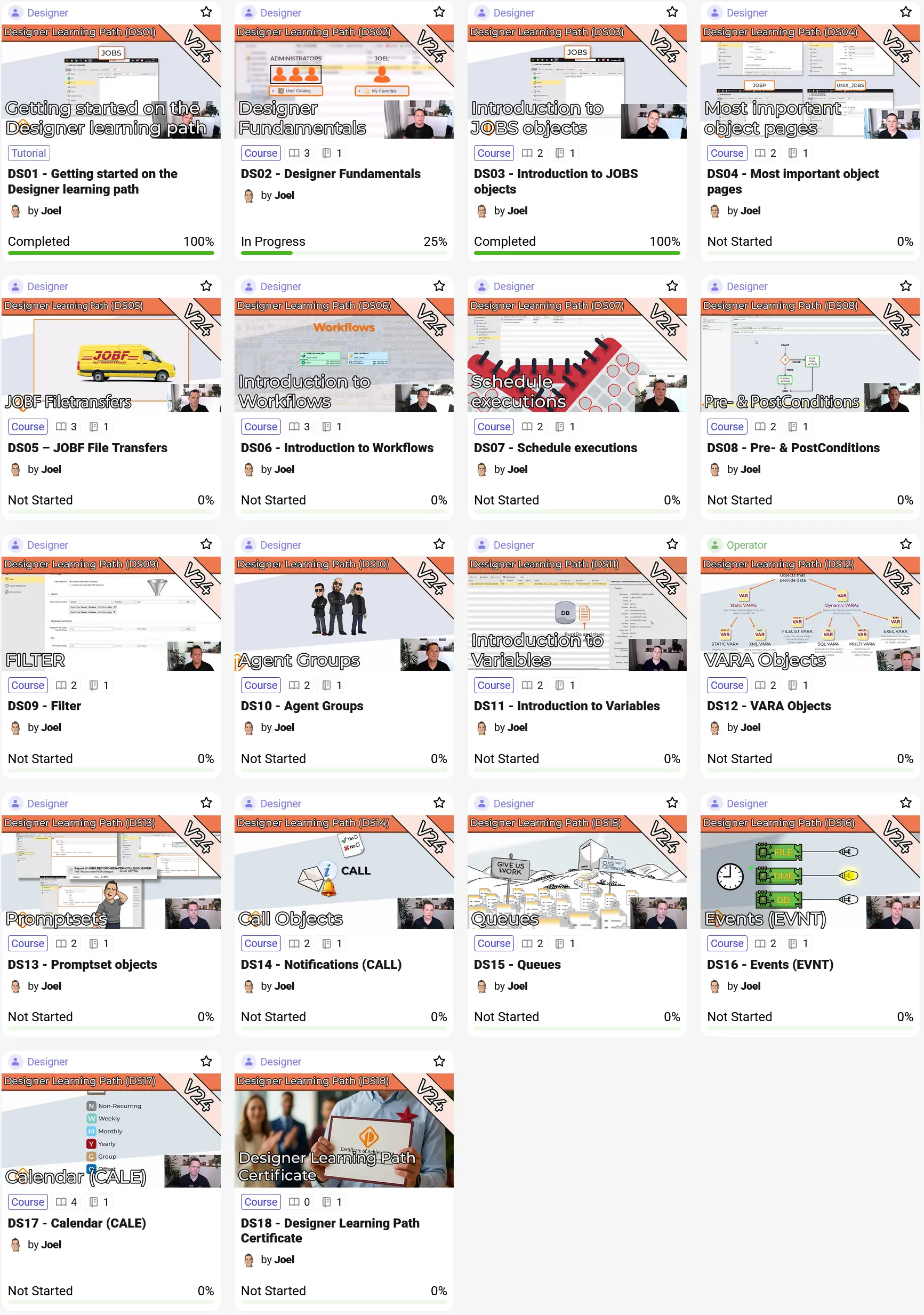
Efficient IT processes and reliable workflows are the foundation of modern enterprise automation. Anyone who wants to design complex workflows, control automation processes with confidence and make full use of Automic needs solid hands-on knowledge. This is exactly where the PEM Automic Designer Learning Path (V24) comes in.
After intensive development work, the PEM Automic Designer Learning Path on V24 is now fully completed. Across 18 consecutive parts, it guides you step by step through the most important concepts, object types and design principles of modern Automic automation.
With structured learning material, practical examples, interactive hands-on exercises in real test environments and a final certification test, this path is the ultimate training for everyone who does not just want to manage automations, but actively design them in a robust and professional way.

Automic Designer Learning Path on V24: Structure and Content
The learning path starts in a deliberately structured way and picks you up at the fundamentals. You begin with the most important tool of all: the Process Assembly perspective. You get to know the interface in detail and learn how Automic automation objects are fundamentally structured. From there, we systematically work our way towards more complex scenarios.
The learning path guides you through the following key topics, among others:
- Process Assembly & Fundamentals: Confident navigation in the Designer interface and a solid understanding of how automation objects are structured.
- Object Variety in Automic: Which object types are available, what they are used for and how to apply them effectively.
- Workflow Design & Optimization: How to create, manage and structure workflows efficiently according to best practices.
- Process Control: Controlling automation processes in a targeted way, adding conditions and adapting workflows to your requirements.
- Jobs and File Transfers: Creating and safely configuring job processes and file transfers.
- Variables & Flexibility: Strategic use of variables to make your automations dynamic and flexible.
- Generation Time: Understanding and controlling the significant impact of generation time on your automations.
All content is consistently aligned with the current Automic V24 version and based on real day-to-day requirements from practice.
Learning with Exercises and Quizzes Instead of Dry Theory
As with all PEM Automic learning paths, the Designer path is not focused on dry theory. Each unit combines clear video explanations directly from Joel with concrete exercises and short quiz questions to reinforce what you have learned.
In the practical exercises, you work on real scenarios that you may encounter in your daily work as an Automic Designer. This helps you not only develop a deep understanding of the different object types and variables, but also learn how to structure workflows from scratch in a reliable, error-free and efficient way.
Your Proof of Knowledge: Final Test and PEM Certificate
At the end of the 18-part learning path, a comprehensive final test awaits you, putting your knowledge from all modules to the test. After successfully passing it, you receive your personal PEM learning path certificate.
This certification documents your skills in black and white and confirms that you can confidently use Automic objects and independently implement complex workflows in a structured way. The certificate is ideal as internal proof within your company or as an upgrade for your professional profile.
Who the Automic Scripting Learning Path Is For
The learning path is primarily aimed at Designers who want to take their skills to the next level, as well as Administrators who want to dive deeper into workflow design in order to better understand and support their systems.
Access note: Since this path covers advanced functionality, it is available exclusively to Designers and Admins. Operators do not have access, as these topics are outside their classic area of responsibility. Tip: If you have already completed the Operator Learning Path and want to take the next step towards the Designer role, this is the perfect follow-up – with a Designer or Admin Membership.
You can find a detailed overview of the specific roles, permissions and different membership options in our pricing overview.
Start for Free or Jump Right In: Your Options on PEM Automic
If you would like to get a first impression, you can start with the PEM Explorer. It gives you free and non-binding access to selected content, tutorials and rotating modules from our learning paths. This allows you to test how PEM Automic teaches Automic knowledge and whether the learning path matches your current skill level.
Conclusion: The Perfect Roadmap for Modern Workflow Design on V24
With the completed PEM Automic Designer Learning Path (V24), you now have access to a complete, practice-oriented learning path that guides you from your first steps in the interface all the way to complex, dynamic workflows. Structured content, hands-on exercises, short quizzes for self-checks and a final certificate make it the ideal foundation for anyone who does not just want to manage automations in Automic, but design them professionally and reliably from the ground up.
All 18 Parts of the Designer Learning Path at a Glance: