
Solution Corner #38: Python & AI Jobs (Recording)
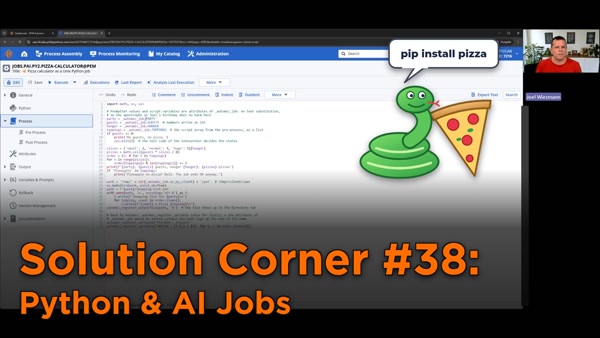
Python Jobs and AI Jobs in Automic Automation V26
ℹ️ This Automic webinar is part of the Solution Corner recordings on PEM and was recorded on 27 November 2026. 📋 Content: 1 webinar recording (32 minutes) with 22 chapters, demo objects for your lab 🕒 Duration: Depending on your Automic experience and know-how, about 35 to 50 minutes. Automic Automation V26 gives designers two new job types. Python jobs run Python code directly on an OS agent, without a shell detour, and AI jobs send a prompt through Automation.AI to a language model, with MCP tools if you like. In this Solution Corner, Joel builds both types in the PEM lab, shows what sets them apart from an ordinary UNIX job (JOBS), with examples that make you smile, and combines them in a workflow (JOBP) at the end.Python jobs: Python instead of shell
Before: Python in a UNIX job
A pizza calculator runs as a here-document with python3 in a UNIX job. Its values arrive by text substitution, and the post-process cuts the number of pizzas out of the report with the new regex functions. An apostrophe in the party name breaks the script, and the same gap opens the door to command injection.The Python job
- Three variants: Unix Python, Windows Python and Generic Python. A Generic Python job runs the same script on Windows and Unix agents.
- Values in: Every object variable is a member of
_automic_job, numbers arrive as numbers, and a script list from the pre-process arrives as a Python list. Special characters no longer break anything. - Values out:
automic_register_variablereturns values and lists (a list becomes an array on the task),automic_register_outputfileshows a file in the Directory tab. - The Python page: interpreter, options (for example unbuffered output for the report), working directory and requirements.
Modules, pip and virtual environments
- Requirements and PIP report: A talking cow (the module cowsay) is a requirement. The agent installs it with pip before the code runs and logs it in the PIP report; the second run says "Requirement already satisfied".
- Where the modules go: globally (only root), in the user scope of the login (the default,
~/.local) or in a virtual environment. Shared user modules grow and can fight over versions. - Virtual environment: A UNIX job creates it with
python -m venv, the Python job uses its interpreter<venv>/bin/python, and the requirements are installed there. - Servers without internet: pip loads from the internet by default; companies point pip of the login user to an internal mirror.
AI jobs: a prompt as a job
- AI connection (CONN): one model from Automation.AI, the MCP tools the jobs may use, and the advanced LLM settings temperature, max tokens and top-p. Low temperatures suit a business context.
- AI job: no agent and no login; system prompt and user prompt, the answer in an object variable, three modes: standalone request, start of a conversation, continuation of a conversation.
- MCP tools: The same question about the agents with and without the tool listAgents: once vague advice, once the real agents of the lab as a football team.
- Conversations: A first AI job tells a joke about batch jobs, a second one explains it with the conversation ID of the first.
Both together: the PEM course adviser
A Python job searches the PEM content library for a topic, here GETVAR, and returns the top five courses. An AI job turns them into a case from practice where one of the courses helps, and a second Python job saves the recommendation as a file. Along the way, the Automation Assistant explains the Python script in the editor.Who is this recording for?
For designers and developers who use Automic Automation V26 and want to bring Python code or AI into their automation. We assume the basics of jobs, workflows and variables, for example from the designer learning path on PEM.Topics in this recording
- Before: Python as a here-document in a UNIX job
- Unix Python job with variables, lists and an output file
- Requirements, PIP report and where pip installs the modules
- Virtual environment for a Python job
- pip with an internal repository
- AI connection: model, MCP tools and LLM settings
- AI job with and without an MCP tool
- Conversations across several AI jobs
- PEM course adviser: Python searches, AI advises
Learn Automic with PEM!
Would you like to learn more about Automic without having to travel across the country for workshops? At PEM, you decide when and how you want to continue your education! In interactive courses, tutorials and videos, you will learn everything you need to know about Automic – and more! And we are always there for you via comment function or email.
Does that sound interesting? Then get started today with PEM, Automic Training 2.0 and year-round Automic support!
FAQ about Automic Training on PEM
PEM is the most innovative and fastest growing Automic learning platform. It offers PEM members a comprehensive range of online training courses that can be accessed 24/7 and from anywhere. The platform includes dozens of videos and interactive courses and is aimed at beginners and professionals alike.
To meet different needs, PEM offers different types of content: courses, tutorials, learning paths, labs and tools.
- In the courses and tutorials you will learn everything about Automic in entertaining and interactive videos.
- The learning paths offer comprehensive training on a specific Automic topic. For example, the 11-part operator learning path is suitable for beginners. Are you already an Automic expert? Then you will definitely learn something with the database SQL learning path.
- Labs are automated environments that are available at the touch of a button and where what has been learned can be put into practice.
- Tools with appropriate instructions are regularly provided on PEM . This allows Automic processes to be automated and simplified even further.
In our library, you’ll find all content items currently available on PEM. And every week, we add more items to learn Automic.
PEM Labs are comprehensive, pre-configured Automic environments designed to provide users with a hands-on and immersive experience. These labs offer instant access to multiple Automic versions, allowing users to experiment with functionality and explore new features effortlessly. Available on demand and at no additional cost for members, PEM Labs eliminate the need for complex setups or extra expenses. Whether you’re a beginner or an experienced professional, they serve as realistic sandbox environments ideal for learning and experimenting with Automic.
Labs are provisioned on demand with a single click and are automatically deleted after 24 hours.
There are two different deployment-variants for the Labs:
- Labs for Operator and Designer
These provide access to a dedicated Automic Client via the Automic Web Interface (AWI). - Labs for Admins
These labs include OS-level access through a browser, enabling members to perform all administrative tasks, including those at the operating system level.
PEM Labs are available in three formats:
- Test Labs
These labs are empty Automic clients or systems that members can use for their experiments. - Course Labs
These labs include one or more scenarios where users are tasked with solving practical exercises, similar to classroom training sessions. - Story Labs
Story Labs are like Course Labs but incorporate a storyline to make the experience more engaging and entertaining. Think of them as small adventure games where you solve puzzles using Automic.
The Operator, Designer, and Admin roles in PEM align closely with the roles available within Automic itself. Each role is tailored to specific responsibilities, ensuring users focus on the skills and knowledge most relevant to their work:
- Operator:
Operators are responsible for monitoring, executing, and managing workflows in Automic. In PEM, the Operator role covers topics like workflow execution, troubleshooting, and day-to-day operations to ensure smooth automation processes. - Designer:
Designers are the architects of workflows and automation solutions in Automic. The Designer role in PEM includes content on creating, optimizing, and maintaining workflows and objects, with a focus on best practices for efficiency and scalability. - Admin:
Admins handle system-level configurations, user management, security settings, and advanced maintenance tasks in Automic. PEM’s Admin role offers in-depth training on system setup, troubleshooting, and managing complex environments, including OS-level access through PEM Labs.
By mirroring Automic’s role structure, PEM ensures that members can seamlessly apply what they learn to their actual responsibilities within the software, making the training practical and highly relevant.
We host live sessions called Solution Corners 12 times a year, offering direct interaction with our experts. These sessions are open for questions on any Automic topic, and members can submit questions in advance for a more in-depth discussion.
Additionally, we provide online consulting—exclusive video conference sessions with our Automic specialists. Members with a consulting quota can book appointments directly via the experts’ calendars, ensuring flexible and personalized support.
In normal Automic training courses, the trainer is available to you for a few days. If you’re lucky, you might be able to provide input before the training, and if you’re particularly lucky, you might be able to ask 1-2 questions in the weeks following the training.
Our members can send us an email at any time. We answer questions immediately by email. If our members have questions about specific topics, they can also use the comment function. We call this “year-round Automic support”.
You always sign up for a membership for one year. After that, it is usually renewed automatically.
You can cancel at any time up to one month before the end of the contract with a simple email. Of course, you can limit the membership to one year at the beginning of the contract.